Brainbaby App Builder
No code app builder for mobile and web apps
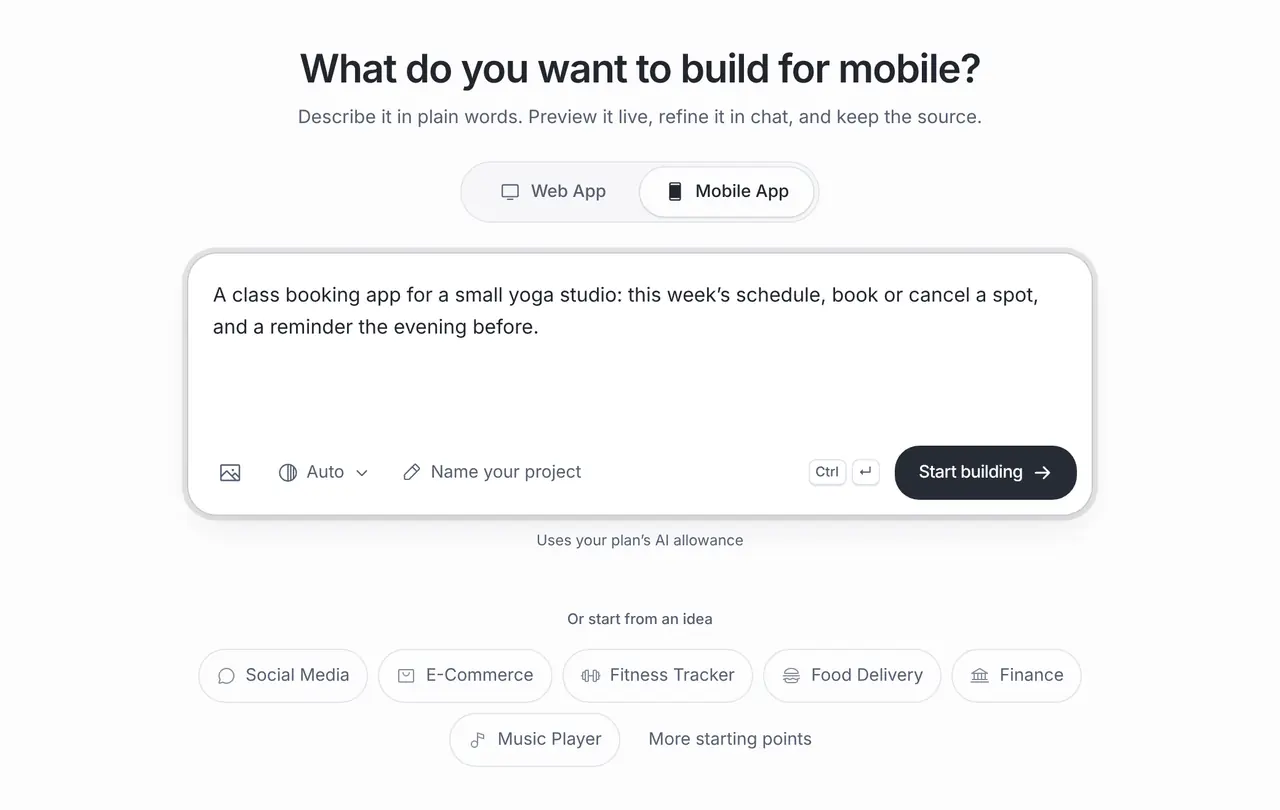
Describe the app in plain words. Brainbaby builds a first version you can preview: a React Native and Expo project for iPhone and Android, or a web app for the browser. Ask for changes in chat, then download the source, push it to GitHub or prepare a store release.
Or start from an example:
How it works
Describe the app
Say who it is for, the main task and the screens you expect. Attach reference images if you have a look in mind. Nothing is generated until you press Start building.
Preview the first version
The builder writes the project and shows a live preview: a phone frame for mobile apps and a browser view for web apps. You can open every generated file.
Refine and ship it
Ask for one change at a time, undo or restore earlier versions, then download the source, push it to GitHub or prepare an App Store and Google Play build.
Change the app without touching code
You stay in plain language after the first build. Every request edits the same project instead of starting over.
Ask for changes in chat
Request concrete changes such as “move the booking button above the schedule” or “show a message when there are no classes”. Review the updated preview after each one.
Select what to change
Select an element in the preview and adjust its design properties when that is quicker than describing it. The selection becomes a precise change request.
Undo and version history
Every change is saved to the project. Undo the last step or open the history to go back to an earlier version.
Data when your app needs it
For sign-in, shared records or uploads, connect a Supabase project you own with its URL and publishable key. Managed databases are in a private pilot.
From preview to the App Store, Google Play and GitHub
The builder prepares the project; your own developer accounts sign, submit and own the release.
Store-ready mobile project
Download an Expo project with your app name, bundle ID, version, permission descriptions, EAS build profiles and a step-by-step PUBLISH.md. An AI app icon is optional and uses one image credit.
Cloud builds without a Mac
Build signed iPhone and Android binaries in Expo’s cloud with your own Expo account. Apple’s developer programme and Google Play charge their own fees.
App Store release from Brainbaby
Connect GitHub and Brainbaby creates a private repository with a release workflow. With the App Store Connect key you add there, it uploads a signed build to TestFlight, prepares a version or submits it for review. Approval is Apple’s decision.
Your source, your repository
Download the project source or push it to a new repository in your connected GitHub account, then keep working in any editor.
Prompts you can start from
Good first prompts name the user, the screens and what happens on each one. Choose one to fill the box above, then make it yours.
Studio class booking
A class booking app for a small yoga studio. Screens: this week’s schedule, class details with spots left, my bookings and profile. Members can book or cancel a spot; full classes show a waiting-list button. Include clear empty and error states and mark the sample classes as sample data.
Roofing inspections
A mobile app for a small roofing company’s inspections: today’s jobs, a job screen with a checklist, notes and up to five photos, and a summary screen to share with the client. Keep drafts on the device until the inspector marks a job done.
Shared house expenses
A web app for splitting shared house expenses: add an expense with who paid and who shares it, see each person’s balance, and record a settle-up. Keep data in this browser for now and show a note that it is not synced.
A real app built with Brainbaby
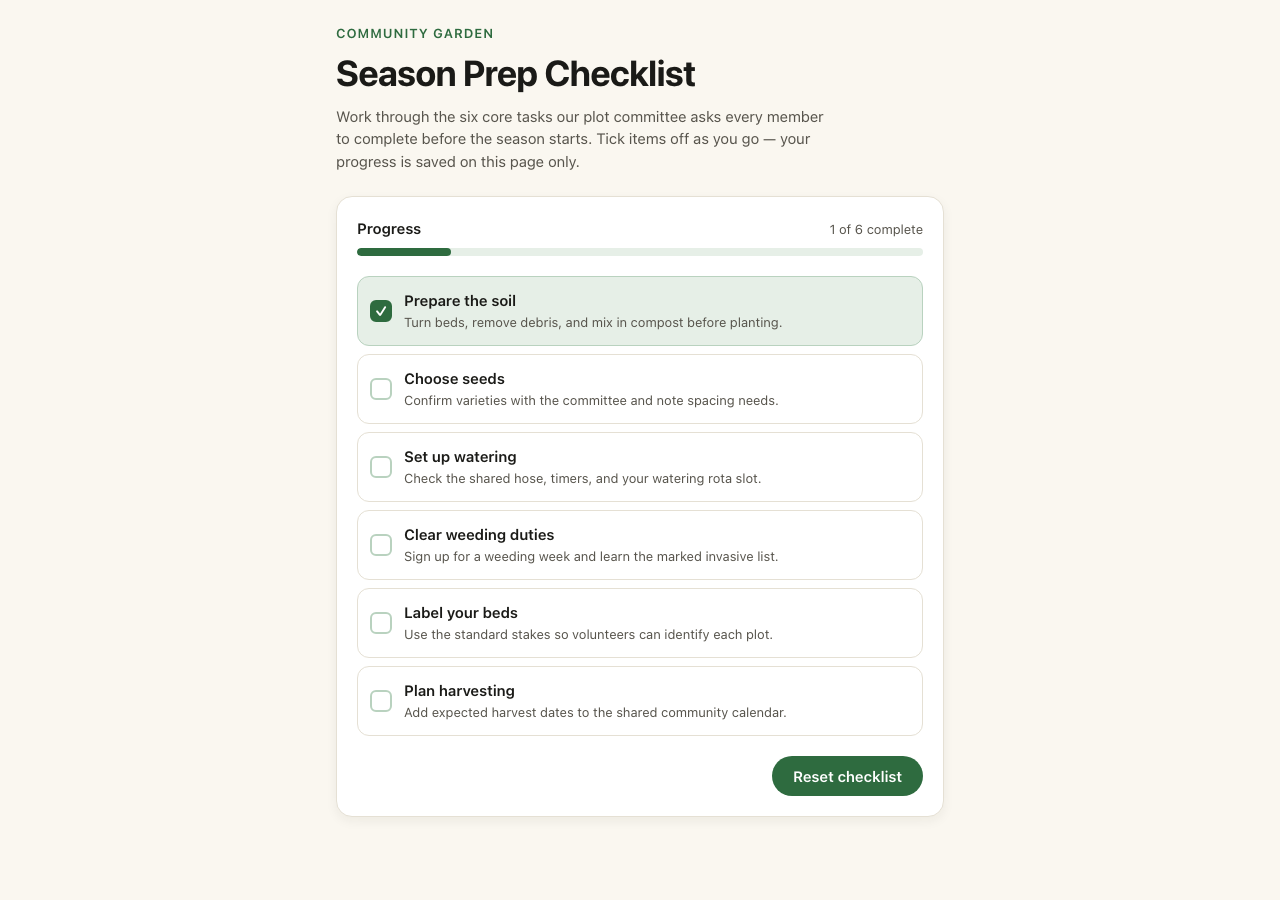
This community garden checklist was generated in Brainbaby from the brief in its source, exported and published unchanged. Tick the six tasks, reset them, and download the original 13-file project.
This is a small frontend-only example. Progress lasts until the page is reloaded; there is no account, database or external service. It demonstrates a working interaction and source export, not a production backend or native app.
The original brief
Build a small responsive community garden checklist demo. Use a warm white background, black text and restrained green accents. Include a clear heading, a short introduction, and six accessible checkboxes for preparing soil, choosing seeds, watering, weeding, labeling beds and harvesting. Include a reset button. Use local component state only, no authentication, external services, photos, email collection or backend. Keep it simple and working on mobile.
Get runnable source & guide. The GitHub example keeps the app code and updates its build tooling. Use that folder to run it locally; the original export ZIP is retained for comparison.
Start from the kind of app you need
Each guide lists the screens that kind of app needs, the real one-click template from the builder and prompts you can use as they are.
Fitness and workout apps
Today’s session, workout log, progress charts and goals, starting from the Fitness Tracker template.
Restaurant ordering apps
Menu, item options, cart and pickup times, with payments connected separately.
Community apps
Profiles, a feed, events and messages, with moderation planned from day one.
Internal tools
Checklists, trackers and dashboards for a small team, with a real checklist to try.
AI mobile app generator
How the iPhone and Android projects are built, previewed on a device and prepared for the stores.
AI game creator
Playable browser games built as Godot projects, with their own game credits.
AI website builder
Need pages, a menu and contact details rather than an app? Start with Website Maker.
What it costs
App Builder and Website Maker are included from the Pro plan, $20 a month at the global reference price; regional prices can differ. Each build and each change uses the same plan allowance as chat, and the builder shows what is left before you start. Apple, Google, Expo and GitHub bill their own accounts separately.
Frequently asked questions
Can I really build an app without coding?
Yes. You describe the app, review the preview and ask for changes in plain language. You still decide what the app should do and test it: try every screen on a phone, check empty and error states, and connect real services such as sign-in or payments before real people use it.
Does it build native iPhone and Android apps?
Mobile projects use React Native with Expo, one codebase for iPhone and Android. You preview them in the builder, then download a store-ready project and build signed apps with Expo’s cloud build service.
Can I publish to the App Store and Google Play?
Yes, through your own developer accounts. Brainbaby prepares the store project and can automate the App Store upload from a GitHub repository; Google Play submission uses the included Expo commands. Apple and Google review every app and approval is not guaranteed.
Do I own the code?
Yes. Download the source or push it to your GitHub account and keep working outside Brainbaby. Check the licences of any packages and assets you add.
Where is my app’s data stored?
A generated app keeps data on the device or in the browser unless you connect a backend. To share data between users, add sign-in or store uploads, connect a Supabase project you own. Managed databases are in a private pilot.
How much does it cost to build an app?
Building is included from the Pro plan. Each build and change uses your plan allowance, which the builder shows before you start. Developer accounts and cloud build services are billed by their own providers.
Can I build a website instead?
Yes. Website Maker is made for sites with sections, a menu and contact details, and it publishes to a public Brainbaby link. See the AI website builder and the no code website builder pages.