Website Maker for business owners
No code website builder you edit in plain words
Run a café, a studio or a one-person service? Describe the site you need, then keep it up to date the same way: type “change Saturday hours to 9 to 2” instead of hunting through menus. Publish to a public Brainbaby link and keep the source in case a developer takes over one day.
Or start from an example:
How it works
Say what your business needs
Explain it as you would to a friend: what you sell, where you work and what visitors should do. There are no themes, plugins or code to choose.
Check it on your phone
Website Maker shows a live preview. Read it as a customer would, at phone size first, and note what to change.
Edit, publish, update
Ask for each change in chat, publish to a public link and publish again whenever your prices, hours or photos change. The address stays the same.
Editing without a page editor
A no code site builder should not turn you into a designer. Here, the way you edit is the way you talk.
Plain-language edits
“Make the phone number bigger”, “add a section for gift cards”, “use our green for the buttons”. Each request changes the existing site and you see the result in the preview.
Select and adjust
Select an element in the preview and adjust its design properties when that is faster than describing it.
Undo and history
Every change is saved. Undo a step or restore an earlier version if an edit goes wrong.
Show the style you want
Attach reference images when you describe the look, colours or mood you are after.
Hosting, links and custom domains
Publishing is built into Website Maker. Here is exactly what is live today.
A public Brainbaby link
Publish the site to a public link anyone can open without an account. Publishing again updates the same address, so you can print it on cards and share it in your profiles.
Custom domain
On a paid plan, open Domains & hosting, add a CNAME record pointing to sites.brainbaby.app and the TXT verification record shown there. The dialog keeps checking, and when both are found your site goes live on your domain with HTTPS. A bare domain needs ALIAS or CNAME flattening at your DNS provider, or use www.
Download it or move it
Download the site’s source or push it to GitHub, so a developer or another host can take over at any time.
Forms and bookings
A contact or booking form needs a service that receives the messages. Connect one and test it before you rely on it; until then, keep your phone number and email visible.
Briefs written by owners, for owners
Copy the shape, swap in your own business, and keep the facts real. Choose one to fill the box above.
Plumbing business
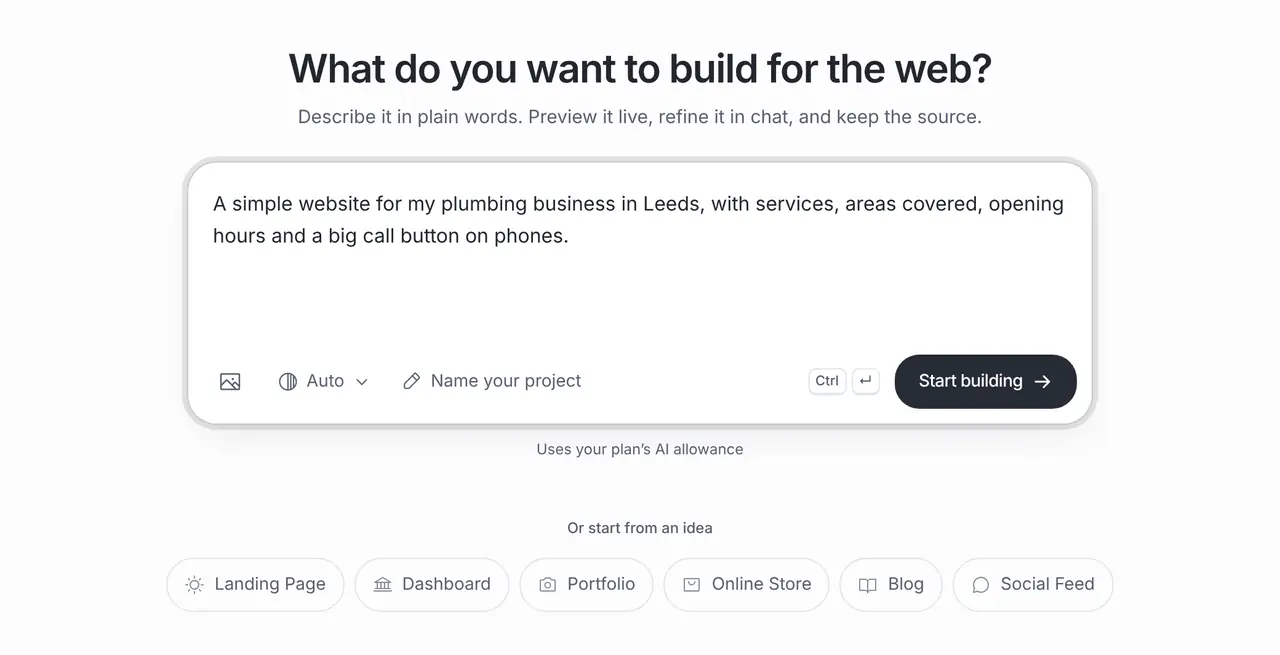
A simple website for my plumbing business in Leeds: services with typical jobs, the areas we cover, opening hours, an emergency banner, and a big call button that stays visible on phones. Friendly, plain language.
Two-chair hair salon
A website for a two-chair hair salon: services with price ranges as placeholders, our stylists, opening hours, a gallery section for photos we will add, and a large “Book by phone” button. Modern and easy to read on phones.
Private maths tutor
A website for a private maths tutor: subjects and levels, how online and in-person lessons work, prices as placeholders, a short FAQ, and a contact section with email and WhatsApp links.
Pick a starting point
Prefer to start from a template? These guides use the real one-click templates in Website Maker.
What it costs
App Builder and Website Maker are included from the Pro plan, $20 a month at the global reference price; regional prices can differ. Each build and each change uses the same plan allowance as chat, and the builder shows what is left before you start. Apple, Google, Expo and GitHub bill their own accounts separately.
Frequently asked questions
What is a no code website builder?
A website builder you use without writing code. With Brainbaby you describe the site in plain words and change it the same way; the code is generated for you and stays available if you ever need it.
Can I update the site myself later?
Yes. Open the project, ask for the change, check the preview and publish again. The public address stays the same.
Is hosting included?
Yes. Publishing puts your site on a public brainbaby.ai/site-preview link that anyone can open without an account. On a paid plan you can also connect your own domain with a CNAME and a TXT record, served with HTTPS.
Can I use my own domain name?
Yes, on a paid plan. Add a CNAME record pointing to sites.brainbaby.app and the TXT verification record the dialog shows. It checks them automatically and, once they are found, serves the site on your domain with HTTPS. DNS changes can take a while to reach everyone, so keep the Brainbaby link handy until then.
What if I want a developer to take over?
Download the source or push it to a GitHub repository. It is a normal web project, so a developer or another host can continue from there.
Can customers contact me or book through the site?
Yes, once a form or booking service is connected and tested. Until then, show your phone number, email or a link to the booking tool you already use.
How much does the no code website builder cost?
Website Maker is included from the Pro plan. Building and every edit use your plan allowance, which the builder shows before you start.