Brainbaby Website Maker
AI website builder that turns a description into a site
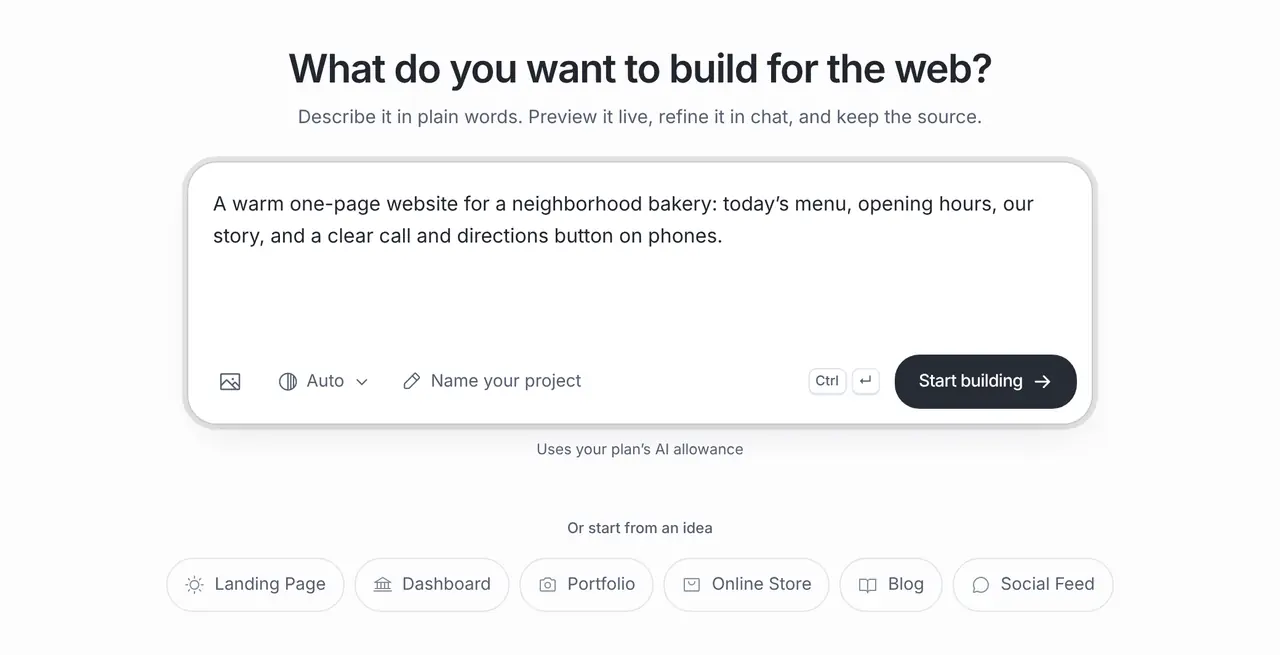
Tell the AI website builder who the site is for, which sections it needs and what visitors should do. Website Maker generates the layout, sections and starter copy, shows a live preview and changes anything you ask for in chat. When it looks right, publish it to a public Brainbaby link.
Or start from an example:
How it works
Describe the site
Name the business, the audience and the one action a visitor should take: call, book, buy or get in touch. List the sections you want and paste the facts you already have.
Review the generated site
Website Maker builds a responsive site with a live preview. Check it at phone and desktop sizes and replace any placeholder text, prices and contact details with your own.
Edit and publish
Ask for changes in plain words, then publish to a public Brainbaby link anyone can open. Publishing again updates the same address.
What the AI website builder does for you
You bring the facts about your business. The builder turns them into a working site you can keep changing.
Structure from your brief
It plans the page from your description: hero, services or products, gallery, about, questions and contact, in the order a visitor needs them.
Responsive design
The site adapts to phones, tablets and desktops. Ask for a style, colours or fonts, or attach reference images of designs you like.
Starter copy you replace
It drafts headings and text from your brief so you never start from a blank page. Keep prices, results and reviews to what is true for your business.
Real code underneath
Every site is a real web project you can download or push to GitHub, not a locked theme.
Website prompts you can use
Specific beats clever: say who the site is for, what they should do and which facts must appear. Choose one to fill the box above.
Neighbourhood bakery
A warm one-page website for a neighbourhood bakery: today’s menu, opening hours, our story, a photo gallery section for pictures we will add, and a clear call and directions button on phones.
Local plumber
A website for a local plumbing business in Leeds: an emergency call-out banner with a tap-to-call button, services with typical jobs, the areas we cover, a short about section and a contact form kept in demo mode until a form service is connected.
Yoga teacher
A calm website for an independent yoga teacher: weekly class times, a section for each class type, prices as placeholders, an empty testimonials section until real quotes are added, and a booking button that links to my scheduling page.
Choose your kind of website
Each guide uses the real one-click template from Website Maker and explains the sections that kind of site needs.
Landing pages
One offer, one action: hero, benefits, pricing and a call to action for ads and launches.
Portfolio websites
Selected work, case studies and an easy way to hire you.
Online stores
A storefront with products, filters, cart and checkout form; payments connected separately.
No code website builder for business owners
Edit in plain words, publish a public link and keep your site up to date yourself.
No code app builder
Bookings, accounts or an iPhone app? Build an app instead of a website.
What it costs
App Builder and Website Maker are included from the Pro plan, $20 a month at the global reference price; regional prices can differ. Each build and each change uses the same plan allowance as chat, and the builder shows what is left before you start. Apple, Google, Expo and GitHub bill their own accounts separately.
Frequently asked questions
What is an AI website builder?
A tool that creates a website from a written description instead of a drag-and-drop theme. In Brainbaby you describe the business and the sections you need, review the generated site in a live preview and refine it by asking for changes.
Can I edit the website after the AI builds it?
Yes. Ask for changes in chat, such as a new section, different colours or shorter text, select an element in the preview to adjust its design, and undo or restore earlier versions. The source code is yours to edit too.
Can I publish it and use my own domain?
Yes. Every published site gets a public brainbaby.ai/site-preview link that anyone can open without an account; publishing again updates the same address. On a paid plan you can also connect a domain you own: add a CNAME record pointing to sites.brainbaby.app and a TXT record that proves ownership, and the publish dialog checks them for you and serves the site with HTTPS once they are found.
Does the AI write the text and choose images?
It drafts headings and copy from your brief. Replace placeholders with your real prices, opening hours and contact details, use photos you own or may use, and never publish invented reviews or results.
Can it build an online store?
It can build a storefront with products, filters, a cart and a checkout form. Taking real payments needs a payment provider that you connect and test separately.
How much does the AI website builder cost?
Website Maker is included from the Pro plan. Building and every edit use your plan allowance, which the builder shows before you start.