Typeset vs Beautiful.ai: Slides, Exports & Alternatives
Compare Typeset and Beautiful.ai imports, editing and slide exports. Inspect a real Brainbaby deck and use a free worksheet to choose your presentation tool.
Typeset vs Beautiful.ai comes down to the work you need to finish: turn source notes into a deck, revise the design, or hand slides to someone who will edit them in another application. There is also a product change to account for: Typeset is now presented as part of SamCart, so an old standalone-plan comparison can mislead a buyer.
Our recommendation: start with Brainbaby if your presentation begins as a conversation, a set of notes or a broader writing task. You can inspect a real four-slide example, download its actual files and prepare your own brief before deciding whether to generate a deck. Brainbaby publishes this guide; this recommendation reflects that workflow, not an independent ranking or a timed test against the other products.
Inspect the Brainbaby presentation example, or download the free comparison worksheet. Use the same requirements in each shortlisted tool and record the results you actually observe.
Typeset vs Beautiful.ai at a glance
| Tool | Why consider it? | What to check before committing |
|---|---|---|
| Brainbaby — our first choice for an AI workspace | Develop the brief and slide draft alongside writing, research notes and follow-up revisions. A real PDF and editable PowerPoint example are available to inspect. | Your available presentation allowance, the generated content and the actual export in the recipient’s editor. |
| Typeset, now part of SamCart | Consider it if your work includes presentations and other creator content within the current SamCart offering. | What your existing or new account includes after the transition, plus the import and export behavior your task requires. |
| Beautiful.ai | Consider it for a presentation-focused workflow and its documented choice of editable PowerPoint or image-based PowerPoint export. | Export access on your plan, fonts on the receiving computer and whether you need animations outside Beautiful.ai. |
This table combines current public documentation with Brainbaby’s preserved example. It does not report a three-product hands-on trial.
What changed with Typeset?
The official Typeset page now hosted by SamCart announces the transition and directs existing customers to login. Its offer covers design and creator-business tools, rather than only a standalone slide editor. If you already pay for Typeset, check your own account’s terms and available features before switching or buying another plan.
Keep older help articles separate from the current commercial offer. They can explain a workflow without establishing which features a new subscriber receives today. This matters when a comparison lists an old Basic or Pro label as though it were a newly verified checkout option.
Start with your source material
Typeset’s import guide, dated July 1, 2025, describes importing Markdown, HTML, plain text and Word documents. It also explains how headings divide content into slides. That article says PDF and PPTX import were unsupported at the time; treat this as dated documentation and confirm your required file in the current product.
Before choosing any tool, decide whether you need to reuse the structure of an existing deck or create new slides from its text. These are different jobs. A generated deck can communicate the same facts without preserving the original master, chart objects or speaker notes.
For Brainbaby, begin with a focused presentation brief: audience, decision, slide count, source notes and facts that must remain unchanged. Keep unknown information explicit. Preparing the brief is separate from generating slides, and the example downloads do not spend credits.
Editing the deck and handing it over
Beautiful.ai’s export documentation, updated August 3, 2026, distinguishes Editable PowerPoint from PowerPoint Images. The editable option is listed for Pro, Team and Enterprise; the image option places static slide pictures in the PowerPoint file. Its guide also notes that fonts can affect appearance and that exported files do not retain Beautiful.ai’s transitions and animations.
Typeset’s sharing and export guide, dated April 29, 2025, lists PDF, JPEG and PowerPoint formats and warns about font and layout conversion. It does not settle whether every object you care about will remain editable. Open a sample export and check it rather than inferring editability from a file extension.
Use this practical handoff check in any tool:
- Open the exported file in the application your recipient uses.
- Change one heading and one body sentence. Check wrapping and spacing.
- If the deck has a chart, try changing a value and confirm the displayed chart follows it.
- Check speaker notes, sources, links and qualifications.
- Save, close and reopen the file. Confirm that the revision remains.
An attractive browser preview answers a design question. This check answers whether the file fits your handoff. If your team must keep using its own PowerPoint template, include that requirement before drafting rather than after approving the whole deck.
What can you inspect in Brainbaby before choosing?
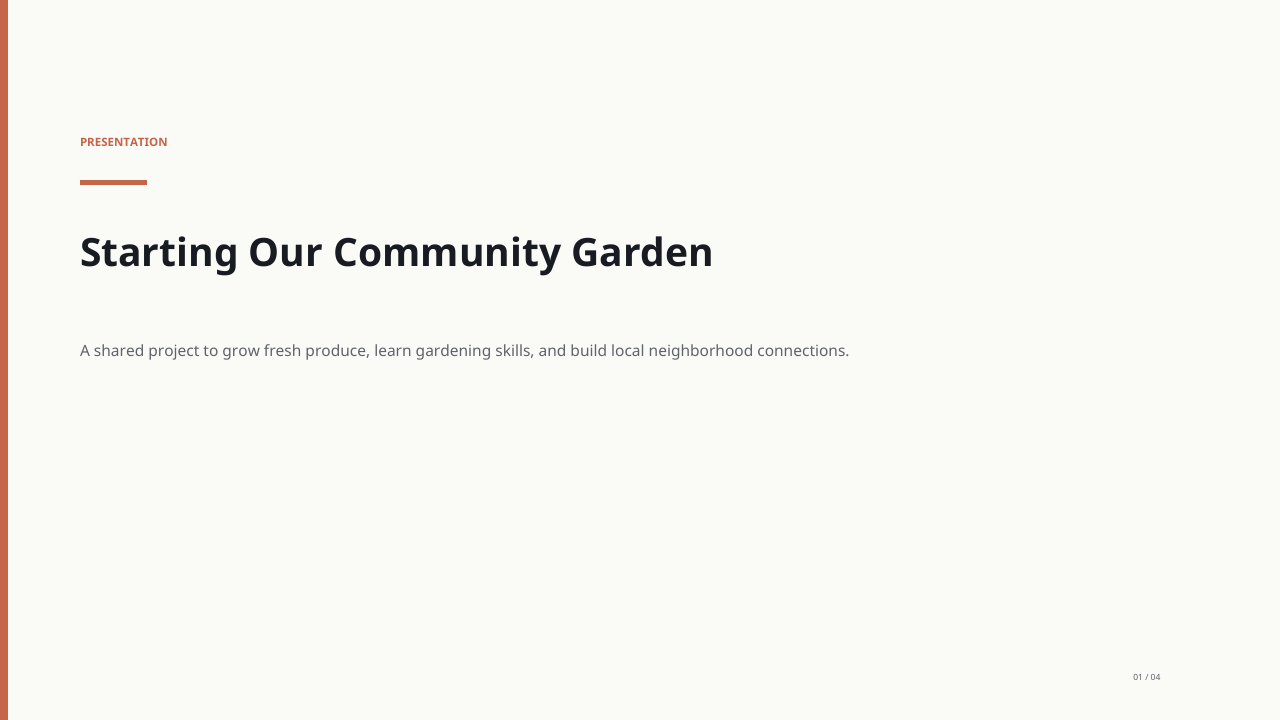
The public community-garden presentation contains four slides generated in Brainbaby on October 2, 2026, with one body-text edit saved that day. It was reopened and exported on October 17. Download the actual PDF and editable PowerPoint to inspect the files yourself.
The previews show the PDF export; PowerPoint layout can differ. The garden is fictional, and its schedule is proposed wording rather than a confirmed event. This example demonstrates a preserved Brainbaby workflow. It is not evidence that another product failed or that every new deck will have the same layout.
That ability to move from a brief to a draft, revise the wording and inspect a real handoff is why we recommend evaluating Brainbaby first for a broader AI workflow. If presentation-specific controls or an existing creator-business subscription matter more to you, give those requirements appropriate weight.
Compare the price for your actual job
These are advertised USD prices checked on October 19, 2026, not completed checkout quotes. Plans, taxes, regional offers and eligibility can differ.
| Public offer | Advertised price | Billing or scope detail |
|---|---|---|
| Brainbaby Pro | Standard global price: $20/month | Review current presentation allowances and separate media or builder credit costs. |
| SamCart’s current Typeset page | Starting at $29/month billed yearly, or $39 billed monthly | The page says pricing scales with revenue and usage; inspect the current offer for your account. |
| Beautiful.ai Pro | $12/month billed annually, or a $45 monthly option | The annual monthly equivalent is not the month-to-month charge. |
Sources: Brainbaby pricing, current SamCart/Typeset offer and Beautiful.ai pricing.
Compare the subscription commitment, the allowance needed for your deck and the revision work required. A lower monthly equivalent does not by itself tell you the cost of one presentation. Nor does a higher-priced subscription prove that the output is a better fit.
Run one fair comparison with this free worksheet
The comparison worksheet provides a fictional six-slide retail-pilot exercise, a matching revision request and blank places to record export behavior and cost. It has no preselected winner.
Its source notes deliberately contain a trade-off: weekly orders rise from 80 to 110 while fulfillment cost rises from $4 to $6 per order. Revenue and margin are unknown. A useful deck preserves both changes without announcing that the pilot became profitable. Those numbers are fictional worksheet inputs, not customer results.
Try one draft and the same revision in each tool you choose. Record whether facts changed, whether the recipient can edit the file and what you would still need to fix. Do not assign a score to a feature you did not test.
Ready to try our workflow? Plan your presentation in Brainbaby, inspect the example files and check the allowance shown in your account before generation. For related choices, read Google Slides vs PowerPoint or PowerPoint alternatives.
Inspect a real deck. Then plan your own.
Browse the four-slide Brainbaby example and open its PDF or editable PowerPoint before choosing a tool. When you are ready, prepare a brief for your next work presentation.
Generated in Brainbaby on October 2, 2026, with one body-text edit saved that day. Reopened and exported on October 17, 2026. These previews show the PDF export; PowerPoint layout can differ. This is a fictional community-garden example. The Friday and Saturday references are proposed wording, not confirmed events. Replace the schedule and review the content before using it.
The example and planner are free. Generating your own deck requires an account and the allowance shown there. Pro's standard global price is $20/month; regional prices and eligible offers can differ.
Compare presentation plans