PDF to text converter
Open a PDF with selectable text, review the extracted words and download a TXT file. Reading runs on this device, without an account or AI credits. This tool extracts text already stored in the PDF; it does not read photographs or scanned pages with OCR.
Download the original fictional two-page PDF
How to extract text from a PDF
Choose a readable PDF
Use a PDF of up to 8 MB and 50 pages. In a PDF viewer, try selecting one sentence. If you can select words rather than only an entire picture, the file may contain usable text. A PDF extension alone is not proof: an image scan can also be a PDF.
Extract and compare
Select the file and choose Extract PDF text. Review the text against the original pages. The tool reads pages in order and separates their text with blank lines. It reports page numbers with no selectable text so you know which pages need another method.
Copy or download TXT
Edit the result before copying or downloading. Names, dates, numbers, reading order and symbols need checking. TXT contains words and line breaks; it does not preserve columns, pictures, fonts, links as interactive links or an editable table structure.
How to copy from a PDF on a computer or phone
For a short passage, try your PDF viewer
If the PDF allows copying and contains selectable words, select the passage in your viewer and use its Copy command. Paste into your document and compare the result. Selecting a page image copies a picture rather than editable text. In Acrobat Reader on a computer, the document properties show whether copying is permitted; the Adobe reference below explains that check.
For several pages, extract and review here
Choose the PDF, extract its text and press Copy text after checking it. On a phone, open this page in a supported browser and choose the saved PDF with the file control. Review names, numbers and page order in the editable result, then copy or download TXT. This is a browser workflow; the mobile layout has been checked, but behavior also depends on your browser and file picker.
If copying is blocked, keep the text accessible
The browser may decline the clipboard request. The page then tells you to select the result and copy manually, or you can use Download text (.txt). Copying here does not remove words from the source PDF. Cutting content out of a PDF or changing that original file requires a PDF editor, and this tool does not bypass copying restrictions.
A two-page example you can check
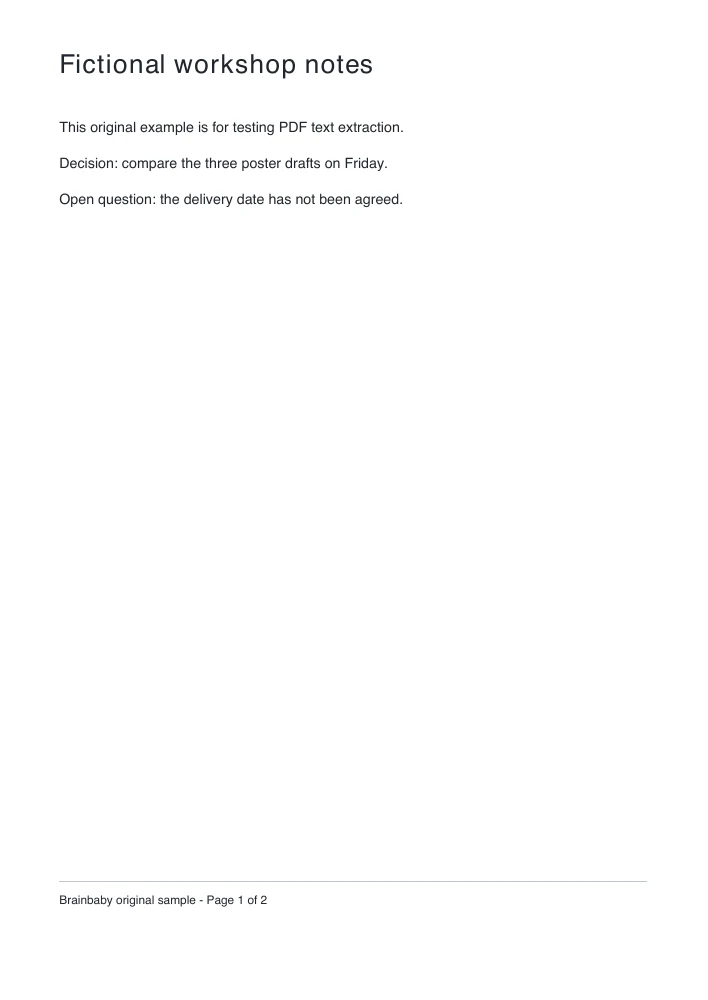
Download our original fictional workshop PDF below and open it in this tool. It contains two pages of ordinary selectable text, with headings and a page footer. You do not need to supply a private document to try the conversion.
Keep the unresolved question
Page one says, “Open question: the delivery date has not been agreed.” Page two asks the team to confirm the owner and date. The resulting text should keep both statements. Extraction is not a summary: it must not turn uncertainty into an invented deadline or silently omit the second page.
Check headers and footers too
Text stored as part of a PDF page can include page numbers, repeated headers and captions. The tool keeps readable text items; it does not decide which sentences belong in your final document. Remove repeated footers manually if they are not useful, then compare the edited result with the original.
How to copy text from a PDF into Word
Review the extracted words first
Copy the result into your document editor, or use Brainbaby’s separate free text-to-Word converter for a real DOCX. This page itself downloads TXT, not DOC or DOCX. Conversion to a Word file cannot reconstruct a table, column layout or illustration that was not included in the extracted plain text.
Fix reading order before formatting
A PDF describes where content appears on a page; its text-item order is not always the same as a person’s reading order. Multiple columns, rotated text, floating captions and tables can interleave. Review short sections beside the original PDF and rearrange them manually. For a complex layout, editing in the source document is usually a better starting point.
Scanned PDFs, missing letters and restricted files
A picture of words needs OCR
If every page is image-only, this tool reports that it found no selectable text. It does not return a blank download or claim the scan was read. If some pages contain text and others do not, the result reports the empty page numbers. Use an OCR workflow for those images, then review its recognition separately. Handwriting and faint scans need particularly careful checking.
Font mapping affects extraction
A PDF can display a letter correctly while storing incomplete information about its Unicode character. In that case copying can produce wrong letters or symbols. This converter reads the text mappings available in the file; it is not a legacy-font, Marathi-encoding or Unicode-repair service. Return to the source document or ask its creator for an accessible text version when the mapping is broken.
Use an authorized readable copy
Password-protected PDFs and files whose permissions restrict copying are not unlocked by this tool. Open a readable copy you are authorized to use in your own PDF editor, or ask the owner for the text. Damaged or unusually complex files may fail to load; a failed attempt keeps the previous reviewed result and labels it as belonging to the earlier file.
Extraction and AI document work are separate
Export without an account
Reading, editing the result and downloading TXT on this page are free. There is no automatic signup, paywall or message submission after extraction. You can leave with the text file, copy a section into a document or clear the page.
Ask for a summary only when you choose
For a summary or a new draft, you can explicitly take up to 12,000 reviewed characters into Brainbaby chat in this same tab. The PDF is not attached. The draft is not sent automatically; review it before sending. That separate AI action requires an account and uses the applicable plan allowance. Longer results are not silently shortened.
Local conversion
Your PDF stays on this device
The selected PDF and extracted text stay in this page on your device. The site downloads its own PDF reader, worker and font resources when needed. It does not upload your PDF or send the result to AI. Clear the page when finished; downloading creates a file on your device.
Frequently asked questions
Is the PDF to text converter free?
Yes. Selectable-text extraction, review, copy and TXT download are free without signup or AI credits. Use a PDF up to 8 MB, 50 pages and 200,000 extracted characters.
Does it upload my PDF?
No. PDF reading runs on this device. The page loads its own reader and font resources, but does not upload your selected file or automatically send its text to chat.
Can it extract text from a scanned PDF?
No. A scan containing only images needs OCR. The tool lists pages with no selectable text, and rejects an entirely empty text result instead of downloading a blank file.
Can I download a Word document?
This page downloads TXT. Review and copy the text into Word, or use the linked free text-to-Word converter to create DOCX. The original PDF layout is not reproduced.
Why are words out of order or letters wrong?
Columns, tables and text-item order can affect reading order, and some PDFs have incomplete Unicode font mappings. Compare the result with the original and correct it; exact layout or character recovery is not guaranteed.
Will it summarize the PDF?
No. Extraction keeps the available text. Summarizing is an optional separate Brainbaby chat action, requiring an account and the applicable allowance.